What is Ark Trader?
Ark Trader is a B2B trading platform developed and licensed by Ark Technologies. It combines broker administration, desktop, web and mobile trading interfaces, CRM, STP connectivity and integration tools.


ARK TECHNOLOGIES
A B2B, multi-device trading platform for brokerage firms and dealing rooms, covering server administration, desktop, web and mobile trading, CRM, bridging and APIs.
Technology provider only: Ark Technologies is not the broker or counterparty, does not accept or hold client funds, and does not control the financial relationship between a broker and its clients. Read the provider notice.
The company behind Ark Trader's brokerage technology ecosystem.
Ark Technologies (Company No. 2456), based in Amman, Jordan, develops and licenses Ark Trader, a business-to-business trading platform for brokerage firms and dealing rooms. The system combines broker administration, price-feed management, desktop, web and mobile trading, CRM, bridging and integration tools in one product family.
Ark Technologies supplies software to independent brokers; it is not itself a broker, investment adviser or custodian. Each broker is responsible for its own client relationship, regulatory obligations, deposits, withdrawals and trading activity. Learn how Ark Technologies' role differs from a broker's role.
Server Core & Feeder
Desktop Dealer & Trader
Mobile iOS & Android
Connect Bridge & API
Four steps from license selection to launch.

Broker operations, trader interfaces, client management and connectivity in one product family.
Ark Trader is designed for brokerage firms and dealing rooms that need administrative controls and multi-device client access. Available modules cover server and feed management, dealer operations, desktop and web terminals, mobile apps, CRM, STP routing and administrative APIs.

A Linux- and Java-based server core with price-feed and instrument-management tools for brokerage operations.
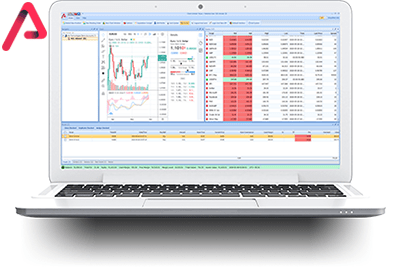
A desktop administration environment for broker account trees, dealing-room monitoring, configured policies, positions and reporting.
Configure client, instrument and dealer permissions at account or group level within the broker's operating model.
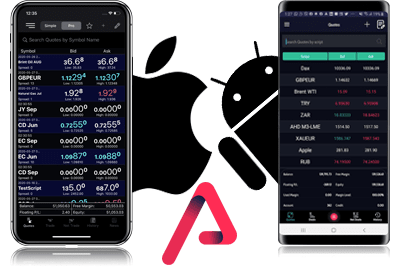
Native iOS and Android trader applications give a broker's clients mobile access to quotes, orders, charts and account activity.
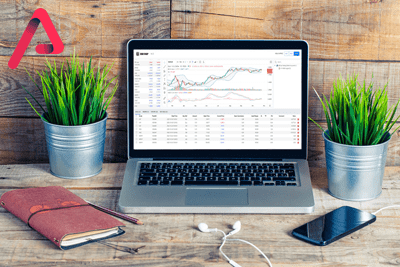
A browser-based trading interface that does not require a desktop software installation.
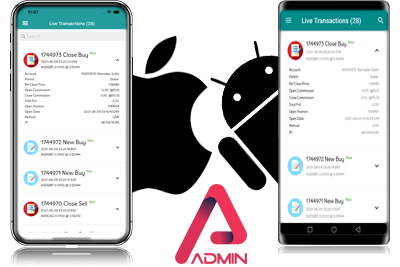
Ark Admin gives authenticated dealers access to selected user, transaction, position and reporting functions on supported mobile devices.
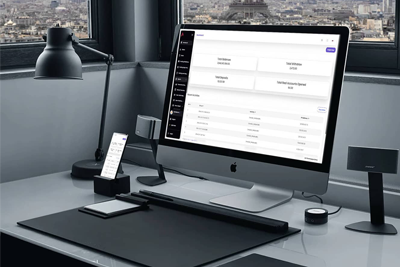
Ark CRM supports client requests, account-history access, broker dashboards, bank configuration, notifications and operational reports.

Ark Bridge supports configured STP workflows and order routing to one or more connected liquidity providers. Connectivity does not eliminate market, liquidity, counterparty, execution or operational risk.

A broker-side add-on for calculating and distributing configured affiliate or introducing-broker commissions.

The Ark administration API lets authorized dealer applications integrate with supported broker-management functions. Access requires dealer authentication and is not intended for end-user clients.
Server and price-feed management for brokerage operations

Overview
Ark Server Core uses Linux and Java and is designed to support the platform's broker-administration, trading and data-management workflows.
Ark Feeder can distribute configured prices to multiple servers and instruments. The server core can accept prices from multiple Ark Feeder instances, allowing a broker to configure different sources and providers by instrument.
Ark Feeder is a server-side Windows application for configuring supported price sources and tradable instruments. Available DDE, RTD, FIX and other API connectivity depends on the source, license and technical scope.
A broker can configure more than one supported price source across servers and instruments.
Weekly-settlement workflows can pass configured settlement prices to Ark Mothership. Timing and operational controls depend on the broker's setup and procedures.
Desktop administration for dealing rooms and brokerage teams
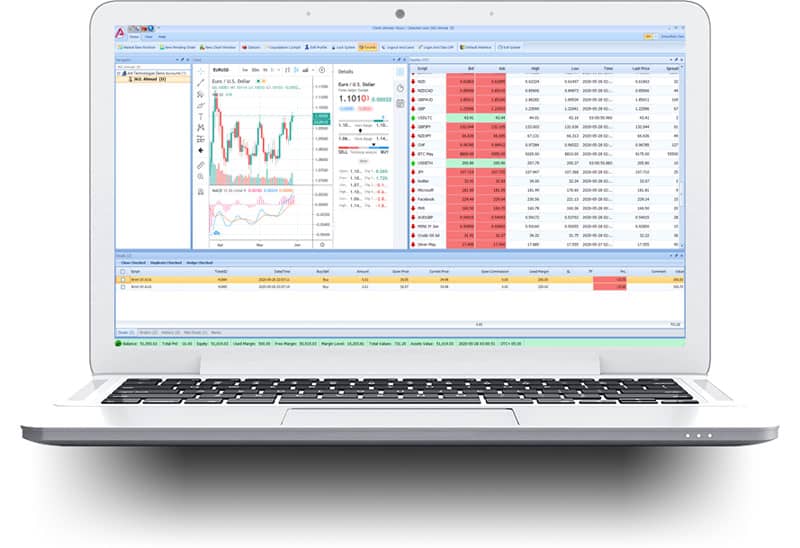

Ark Mothership administration
Overview for the Dealing Room
Ark Mothership is a desktop administration environment for licensed brokerage teams. Available functions depend on the broker's deployment, permissions and configured markets.
A multi-level management tree for client groups and white-label operations, organized by permitted regional, currency, and instrument configurations.
Monitor clients’ net positions using Opened Summary Deals and Closed Summary Deals screens, per group or per client.
Authorized deal-management tools for selected client accounts, subject to dealer permissions and audit procedures.
Session monitoring for logged-in users and connected IP information.
Position monitoring using configured equity, margin-level and profit-or-loss conditions.
Broker-configured weekend settlement workflows for selected account groups and exchange-provided settlement prices.
Auto Money Settlement supports broker-configured balance adjustments for selected client groups. Rules, permissions, timing and reconciliation remain under the licensed broker's control and should be reviewed during technical scoping.
Cancel Bulk Entry/ Exit orders for multiple offices or White Labels to settle the pending orders at the weekend.
Live Transactions screen to monitor your transactions for the entire system, live.
Live Users screen to monitor your live users who are currently online.
Instrument-management properties for setup and rollover workflows on supported contracts.
Additional configured functions may include price-condition entries and market-news access; availability depends on the license.
Overview for the End-Users (Clients & IBs)
The desktop environment includes selected order, position, history, reporting and market-information functions for broker-authorized users.
Bulk close, hedge and duplicate actions for selected deals where enabled by the broker.
Net-deal views for open amount, average price and volume, with permitted hedge actions.
History views for positions, deals and orders, with supported XLSX, text, CSV and PDF exports.
Monitor market news from supported news providers.
Exchange-oriented layouts, interface themes and configurable inactivity locking.
Built-in charting using supported TradingView technology, subject to current licensing and configuration.
Configuration controls for clients, groups and dealers

Overview
Instrument policies let authorized administrators configure values and assign policies to selected client accounts.
Dealer permissions can be configured according to the broker's role and account structure.
Policy Management supports group-level and account-level parameter assignment with permitted overrides.
A reusable policy can be assigned to multiple accounts, while a separate policy can be created for an account that requires different configured values.
Client script Policy:
Client Instruments Policy configures which supported instruments and related trading parameters are available to selected client groups.
With Scripts Policy you can configure the Opened Commission and Closed Commission either fixed or a percentage value.
Also, with Limit/ Stop Offset values that prevent the trade from adding a new entry or exit order near to the market according to the Offset Value that you want, plus you can control the spread value either as Average or Fixed Value, Visibility option allows the broker to control Show/ Hide Scripts according to your offices/ departments or regional branches according to your tree structure, at the end you can control the minimum and maximum amount that client allowed to take on each deal, and the maximum net deals the client can hold at a time.
Client Generic Policy:
The Generic Policy provides general account settings, including supported liquidation rules based on equity or margin level and configured thresholds.
With Advanced Opened and closed commission you can control how to calculate either opened commission or closed commission when the clients close their positions by hedge, or control them both according to your brokerage vision, along with Margin calculation control over hedged deals.
With the Enable hedging option, you can customize the client that assigning to this policy can open hedge deals as buy and sell at the same, or the account will be as one side trading concept net deal concept.
Robo Policy:
Robo Policy supports broker-defined order-acceptance timing and price-adjustment rules for selected accounts and instruments. Brokers remain responsible for fair dealing, disclosure, regulatory compliance and review of configured rules.
Copier Policy:
Copier Policy supports configured trade-copying from selected source accounts to a destination account, including direction, percentage, order type and instrument-group settings where enabled.
Published allocation options include percentage management, Multi-Account Management (MAM) and Percentage Allocation Money Management (PAMM); availability and legal suitability must be confirmed for each deployment.
Agent Commission Policy:
Agent Commission Policy supports configured commission calculations for money-manager and introducing-broker relationships.
Authorized administrators can assign selected client groups to an agent and configure fixed or percentage-based commission rules across permitted offices in the management tree.
Also, you can configure it as a Broker Commission instead as different from the client’s commission and your commission to add the remaining to the agent account, per script and per client or group of clients.
Broker-provided trading access for iOS and Android

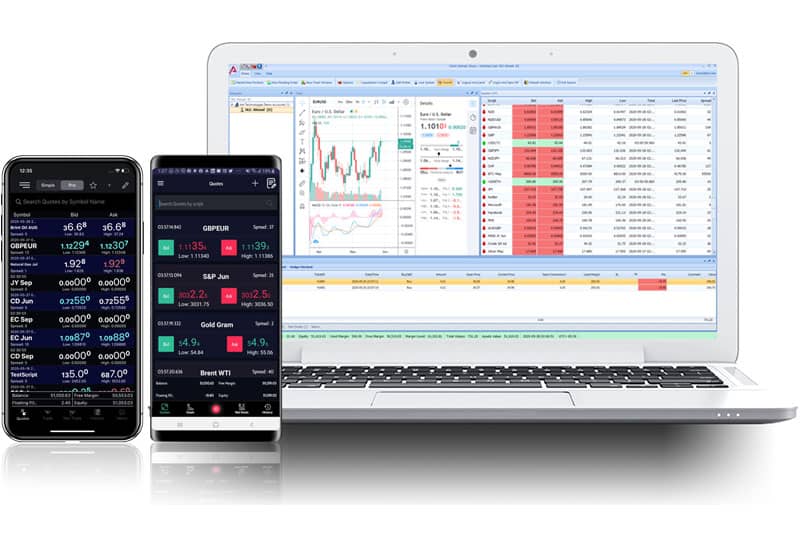
Overview
The application is designed for responsive quote updates and order workflows and includes built-in charting capabilities.
With Close All/ Selected Deals ability per client or group.
Net Deals screen to monitor all Deals Net amount, hedge Net Deals, and Net Average Price.



Browser-based access without a desktop installation


Overview
Ark Web Trader gives a broker's clients access from supported desktop and mobile browsers without requiring a desktop software installation.
Mobile administration for Ark platform brokers and dealing rooms

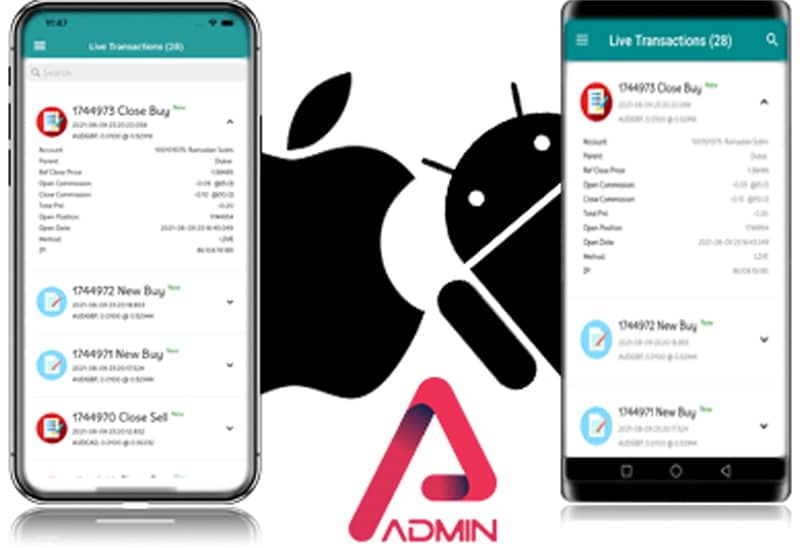
Overview
Ark Admin gives authenticated dealers mobile access to selected user, quote, transaction, position and reporting functions.
For whom? - This app is only intended for Ark platform brokers and dealing rooms.
It provides the following features:
Quotes view — monitor supported instrument prices and available details.
User management - review and, where permitted, create, update or remove platform users.
Broker ledger administration - submit permitted deposit, withdrawal, credit or balance-adjustment actions. The licensed broker remains responsible for authorization and reconciliation.
Manual positions - place a permitted manual position for a selected user and instrument.
Live transactions - review current platform transactions and available details.
Live users — review currently connected users and the session details available to the authorized administrator.
Summaries management - monitor opened and closed summaries and their totals.
Reports - access supported administrative reports for the authenticated dealer role.
Availability and functions depend on the mobile operating system, broker license, dealer permissions, server connectivity and current product version.
Ark Admin gives authorized dealers access to selected platform monitoring and administration functions when they are away from their desktop workstation. Users download the app, enter their dealer credentials and select their server.
Below you will find the flexible pricing plans we have for the Ark Mobile Admin License:
| # of Dealers | Billing period |
|---|---|
| 1 Dealer | $75 / Month |
| 3 Dealers | $125 / Month |
| 5 Dealers | $200 / Month |
| 10 Dealers | $300 / Month |
| Open (Linked with your System License) | $600 / Month |
* You can have a dedicated package for Admin Mobile with your logo and name (Branded Admin Mobile) with an extra $333 / Month.
Client and administrative workflows for financial institutions
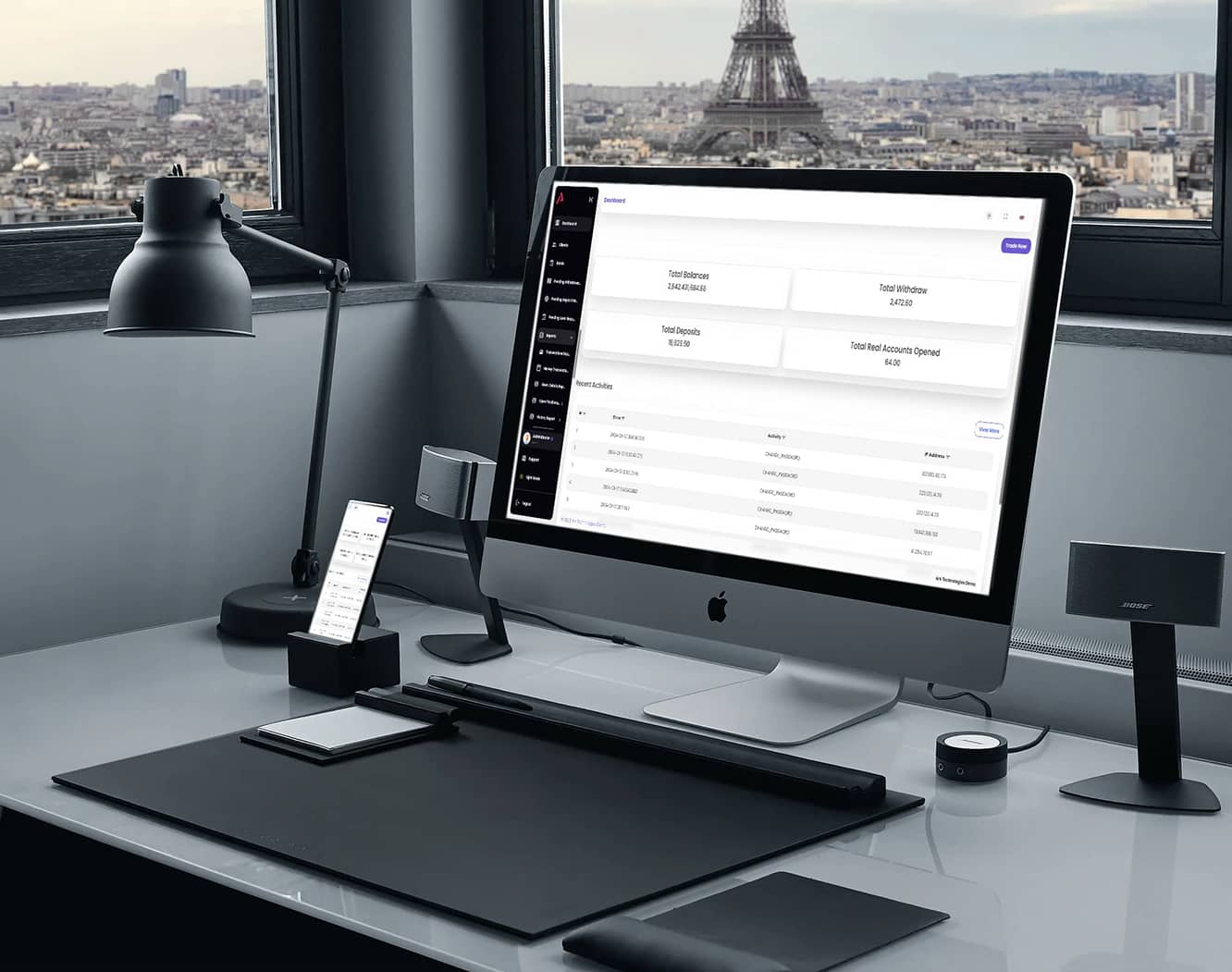
Overview
Ark CRM supports client-service and administrative workflows for licensed financial institutions.
Key Features for Clients:
Client requests: Clients can submit permitted withdrawal, deposit and loan requests for review by the independent broker.
Account history: Clients can review available account activity and records.
Analysis tools: Available views help clients review account data and trends; they do not provide investment advice or guarantee outcomes.
Recent activity: Clients can review the account standing and recent activities made available by their broker.
Admin Features for Greater Control:
Request management: Authorized administrators can review and process supported withdrawal, deposit and loan requests under the broker's procedures.
Dashboard: Administrators can review available operational statistics and activity.
Bank configuration: Authorized administrators can add, update or remove configured bank records.
Client management: Administrators can manage supported client-account workflows and notifications.
Reports: Available operational reports depend on the license and enabled modules.
Responsibility and availability:
The independent broker controls client approvals, account records and financial operations. Exact functions, integrations and access depend on the broker's license and configuration.
Below you will find the pricing plans we have for the Ark CRM License (which depends on your system license):
| License | Billing period |
|---|---|
| Startup | $250 / Quarter |
| Standard | $450 / Quarter |
| Investor | $750 / Quarter |
| Professional | $2,000 / Quarter |
| Premium | $2,500 / Quarter |
| Elite+ | $3,000 / Quarter |
STP routing and liquidity-provider connectivity

Ark STP Bridge connectivity
Ark Bridge supports Straight-Through Processing (STP) workflows by routing configured orders to one or more connected liquidity providers.
A broker can configure routing for selected clients or groups and work with Ark Technologies on Ark-to-Ark or supported non-Ark connectivity, including FIX or other available APIs.
Automated connectivity can reduce repetitive manual routing work, but it does not eliminate market, liquidity, counterparty, execution, configuration or operational risk. Brokers remain responsible for their routing rules, providers and risk controls.
Ark-to-non-Ark connectivity may be available through FIX or another supported API. Each liquidity provider, protocol, permission and implementation must be confirmed during technical scoping.
Commission-distribution workflows for broker affiliate programs
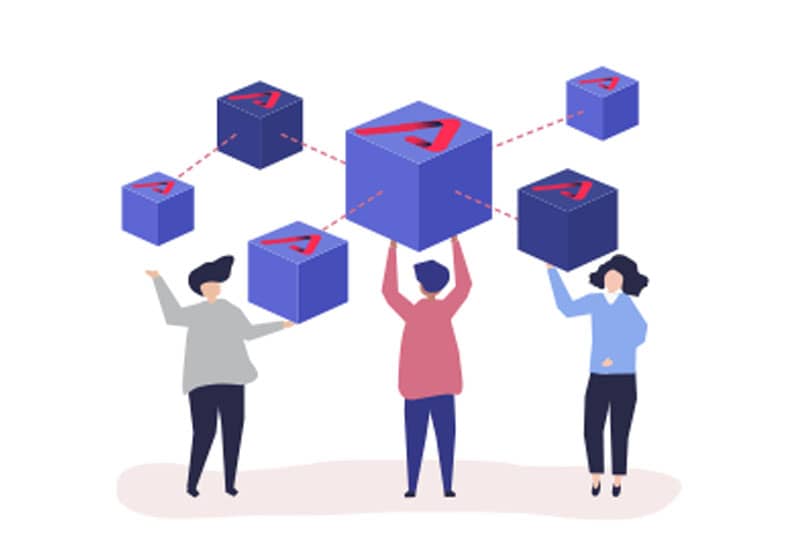
Overview
Ark Weekend Distribution supports broker-configured commission calculations and distributions for selected affiliate or introducing-broker structures. Exact rules and availability depend on the license and configuration.
Authenticated integration access for broker administration

Ark Administration API
The Ark administration API lets authorized applications connect to supported broker-management functions. Access requires dealer authentication and is not intended for end-user clients.
Subject to the license and enabled permissions, broker development teams can use the API for in-house workflows or supported third-party integrations. Contact Ark Technologies for current endpoint, permission and integration details.
Shared or dedicated deployment with SaaS and ownership options.
Select the plan view that matches your intended deployment. Prices and allowances shown below are published reference information; request a current written quote confirming currency, billing period, taxes, inclusions, exclusions, add-ons, integrations, support and delivery timing before purchase.
Contact Ark Technologies for Elite+ plans or a customized deployment.
Direct answers for brokers, dealing rooms and people using broker-provided Ark Trader software.
Ark Trader is a B2B trading platform developed and licensed by Ark Technologies. It combines broker administration, desktop, web and mobile trading interfaces, CRM, STP connectivity and integration tools.
No. Ark Technologies is a software provider. It does not open retail trading accounts, accept deposits, hold customer funds, process withdrawals or provide investment advice.
Ark Trader is designed for independent brokerage firms, dealing rooms, white-label operations and their authorized administrators. A broker licenses and configures the software for its own business and clients.
The independent broker that issued the account is responsible for account access, deposits, withdrawals, execution and client support. Ark Technologies supports the licensed platform provider.
The Ark product family includes Windows desktop software, a browser-based trader and native iOS and Android applications. Availability depends on the broker's license and configuration.
Published plans include shared or dedicated deployment and SaaS or ownership options. Account, dealer, branding and add-on allowances vary by plan; contact Ark Technologies for a current written quote.
No. Ark Bridge can automate configured STP routing to connected liquidity providers, but it does not eliminate market, liquidity, counterparty, execution, configuration or operational risk.
Use the official theteam@arktrader.io email address, call +962 79 6981 333, or use the contact links published on arktrader.io.
Reviewed 3 September 2026
Historical customer comments paraphrased for clarity; they are not independent verification of product performance.

Seven Ocean Pro
Seven Ocean Pro described Ark Trader as a unified platform for several tradable-asset categories.

Kanak House Bullion described the Ark Technologies team as responsive to its product requirements.

Money Ocean FX Ltd described regular collaboration with Ark Technologies on updates and product-development ideas.
AXIOM Traders Limited described using Ark Trader and Ark Mobile Trader in its brokerage workflows.










Talk with the product and sales team about brokerage licensing, deployment and support.
Use the official contact channels below for product, licensing and technical inquiries.
Technology-provider notice: Ark Technologies develops and licenses software for independent brokerage firms. It is not a broker, custodian or investment adviser and does not accept deposits or hold client funds. Trading and leveraged products can result in losses; users should assess a broker independently and seek qualified advice where appropriate. Read the provider notice.
Ark Technologies · Company No. 2456 · Amman, Jordan
© Ark Technologies 2026. All rights reserved.